Payment Service
To help you efficiently implement the payment service while building your app, SOLO integrates Stripe—a comprehensive payment solution. Stripe offers a wide range of features, including payments, payouts, subscription management, and automated financial reporting. With its simple APIs, Stripe enables a seamless end-to-end payment experience across both web and mobile platforms.
With SOLO mode, you can use the Stripe API as a callable tool to integrate payment services quickly and flexibly into your application.
Limitations
Payment service is only available to SOLO Builder.
Integrate the payment service
Use the following steps to configure the Stripe service:
1. Log in to Stripe and obtain your public and secret keys. For more information, refer to "API keys".
2. In TRAE SOLO, open the the Integrations tool.
3. Under the Payment Service section, click the Configure button at the far right of Stripe.
4. Enter your Stripe Public Key and Stripe Secret Key, then click the Confirm button.
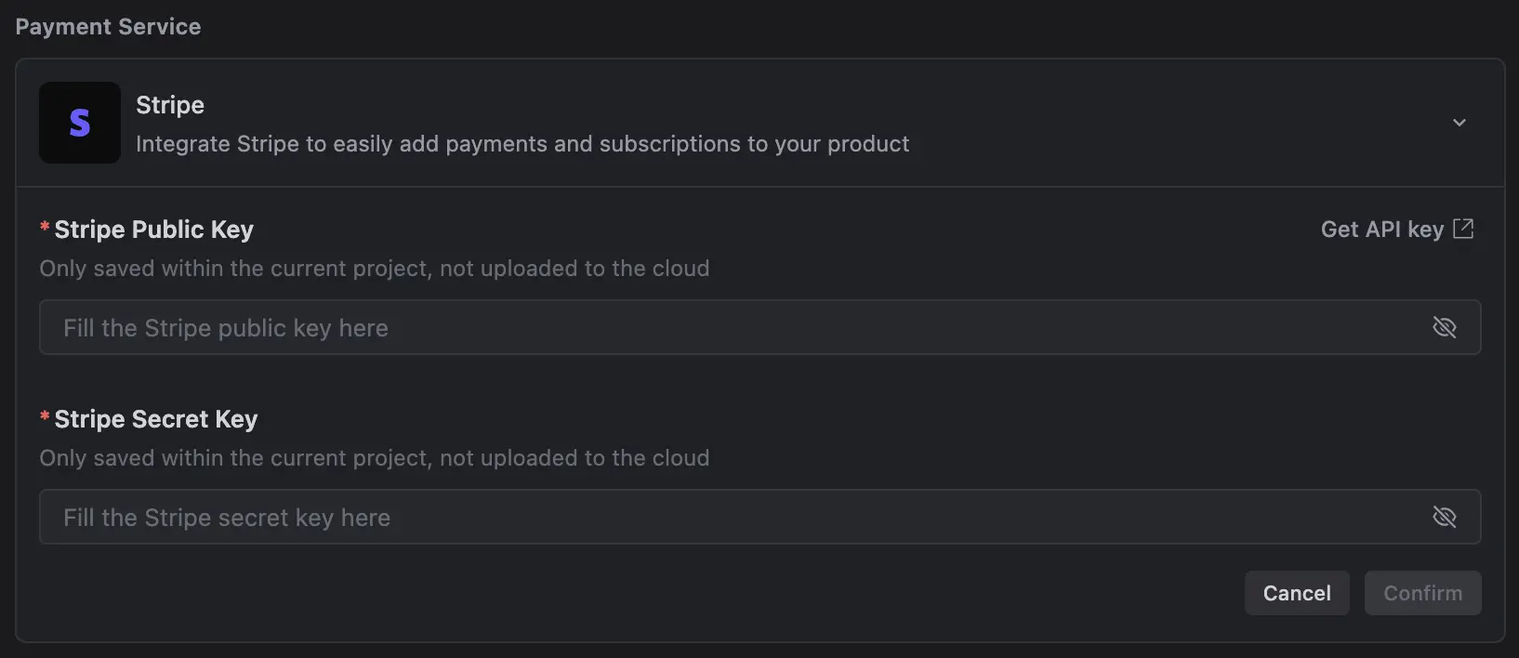
5. After the configuration is complete, click create.
- This directs you to the product creation page on Stripe.
6. Create products and prices on Stripe. For more information, refer to "Products and prices".
- After creation, click the Refresh icon. The list will then display the products you created along with their corresponding prices.
7. Select products, then let the AI integrate them into your application.